
Benefits of digitization of archival materials
(a talk by Jeremy Heil)
January 23, 2016
Our speaker, Jeremy Heil is the Digital and Private Collections archivist at Queen’s Archives. He spoke first about Queen’s Archives in general, and the types of documents that fall within their collecting mandate. The Archives holds over 10 km of materials if spread out in a line! There are 3 million photographs, as well as records in other media such as audio and video tapes.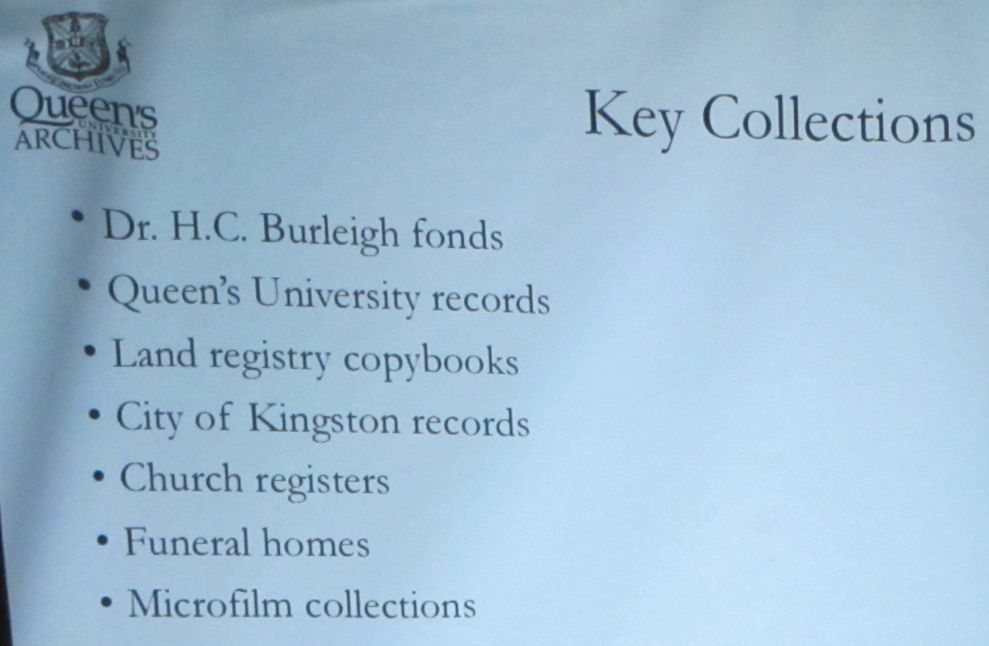
Jeremy then looked at the benefits made possible by digitizing records:
- Scanning fragile material once means that it never has to be handled again and helps preserve it.
- An index can be created that links names to document files.
- The index can be searched easily.
- The documents can be read online by researchers anywhere in the world.
Jeremy used the example of the Burleigh fonds which was digitized for Queen’s Archives by the Internet Archive, a non-profit organization in Toronto. Genealogists looking for UE Loyalists in eastern Ontario appreciate the instant access to Dr. Burleigh’s collection of information on early families. The index to the Burleigh papers is found at http://archives.queensu.ca/search-our-collections/genealogy/dr-hc-burleigh-fonds. When you click on a surname, you are offered a variety of formats for the file.
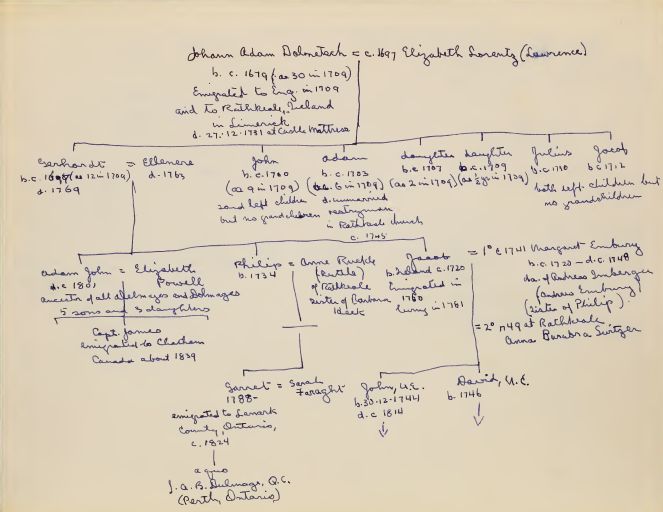
Generally you would select “PDF” and download the file to your own computer, so you can take time looking through it offline. If you choose PDF, you can use Acrobat Reader’s functions to enlarge it on screen. Much of it is handwritten so you will want to enlarge Dr. Burleigh’s writing — see the sample chart from his Dulmage file at the right.
Jeremy also talked about STONES, a project created by Queen’s Archives in 2009. At the website http://www.stoneskingston.ca/ they have multimedia tours of Kingston, focused on different communities: indigenous residents, the francophone community (remember, the French settled at Cataraqui from 1673), prisons, etc. You can listen to the audio tour, download the annotated map to a mobile device, etc. This offers great walking tours for your visitors to Kingston.
Finally, Jeremy outlined details to consider when digitizing your own material:
- if scanning text-based documents, scanning at 300 dpi is sufficient
- when scanning photos, use 600 ppi to make sure you capture enough detail
- when saving photos, use TIFF format which is non-compressed
Jeremy also touched on the need to attach metadata to your scan (that is, when the scan was made, who does it show, etc.). He also reminded us of the need to store our digital records in multiple locations, using an external hard drive and/or the “cloud” as well as on your computer. And once you have digitized your documents and photos, make sure that you store the originals appropriately and safely.